

 KSh KES
DDR3 Desktops
Showing all 4 results


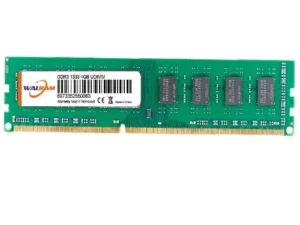
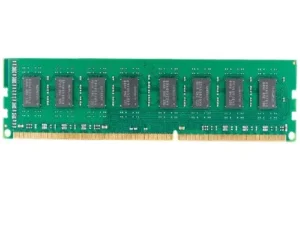
Revitalizing an older computer often begins with a memory boost, and DDR3 desktop RAM remains a vital component for many reliable systems. This classic DDR3 computer memory standard provides the essential workspace for your processor to handle daily office applications. Furthermore, many high-quality workstations still utilize desktop DDR3 memory to manage multitasking without significant system lag. Consequently, upgrading your PC DDR3 RAM desktop setup is a smart way to maintain productivity on a budget.
High Performance DDR3 RAM Desktop PC Features
Choosing the right DDR3 desktop memory modules depends largely on your motherboard’s specific speed and capacity limits. For instance, DDR3 1600MHz RAM desktop sticks offer a noticeable speed advantage over the older 1333MHz versions. Additionally, most users find that DDR3 8GB desktop RAM provides the ideal balance for smooth web browsing. Therefore, a desktop DDR3 RAM upgrade can significantly extend the usable lifespan of your existing home or office hardware.
If you handle more demanding tasks, a DDR3 16GB desktop RAM kit ensures your system stays responsive under load. Moreover, using the best DDR3 RAM for desktop prevents frequent crashes when running several modern browser tabs at once. Most DDR3 4GB desktop RAM modules are now incredibly affordable for those seeking a basic functional improvement. Consequently, these upgrades represent the most cost-effective performance DDR3 RAM desktop PC solution available for legacy technology.
How to Install DDR3 Desktop RAM
Before you begin, always check your DDR3 RAM compatibility desktop by reviewing your motherboard manual or using online tools. First, shut down your computer completely and disconnect the power cable to ensure total safety during the process. Next, open the side panel and locate the long slots near the CPU where the DDR3 RAM for desktop sits. You must press the small plastic clips outward to release any old modules before inserting the new ones.
-
Match the Notch: Align the unique gap on the DDR3 desktop RAM with the ridge in the slot.
-
Apply Pressure: Push down firmly until you hear a distinct click and the clips snap back into place.
-
Check Dual Channel: Install modules in matching colored slots to maximize your total memory bandwidth.
-
Verify in BIOS: Boot your PC and check the system settings to confirm the new capacity is recognized.
DDR3 RAM Price Desktop in Kenya
You can find a wide range of cheap DDR3 desktop memory by visiting reputable security padlocks suppliers Kenya in Nairobi. Before you buy, compare the DDR3 RAM price desktop across different vendors to get the best 2026 deals. Currently, a DDR3 4GB desktop RAM module costs approximately KSh 1,300, while 8GB versions are around KSh 2,300. Furthermore, many shops in Nairobi offer tested, high-quality desktop RAM upgrade DDR3 options with a reliable warranty.
Whether you need DDR3 1333 MHz desktop RAM or the faster 1600MHz variant, local availability remains very strong today. You can also buy padlocks online Kenya style by searching for specialized memory retailers that offer same-day city delivery. Ultimately, the best DDR3 desktop RAM for gaming on older titles will provide a stable and enjoyable experience. Secure your computer’s performance today with a reliable DDR3 computer memory upgrade that fits your specific technical needs.
Would you like me to find a compatibility guide for your specific motherboard model before you purchase your new RAM?